App architecture patterns
How many apps should you deploy?
Design your app architecture based on the experience you want your customers to have, not on minimizing app count. The number of apps should be driven by the questions each app answers for your consumers. Split into separate apps when:
-
Different user groups need different analytics experiences - separate products, business units, or personas warrant dedicated apps rather than one large app that tries to serve everyone.
-
Data sources refresh on different schedules - mixing hourly real-time data with monthly reference data in one app forces every reload to pull everything, burning unnecessary compute in Qlik Cloud and your data sources.
-
Shared bookmarks and master items don’t make sense - if users work with unrelated data sets, selections in one field produce confusing or meaningless results in another.
-
Apps approach or exceed standard tier size limits - multiple apps within the standard tier are more cost-effective and more responsive than a single large app requiring Large App capacity.
Patterns for large data sets
While Qlik Cloud offers large apps support for applications that exceed standard size limits, it’s more cost-effective and performant to use multiple apps within standard tiers combined with smart architecture patterns.
Standard tier apps are limited to 5 GB, 10 GB, or 15 GB of memory depending on your subscription tier, with a smaller limit for anonymous access subscriptions.
Pattern 1: App chaining with segmentation
App chaining allows you to segment applications based on a common dimension (such as region, product line, customer segment, or time period), and users navigate between them seamlessly with selections preserved. The result is a unified experience across multiple smaller, faster apps.
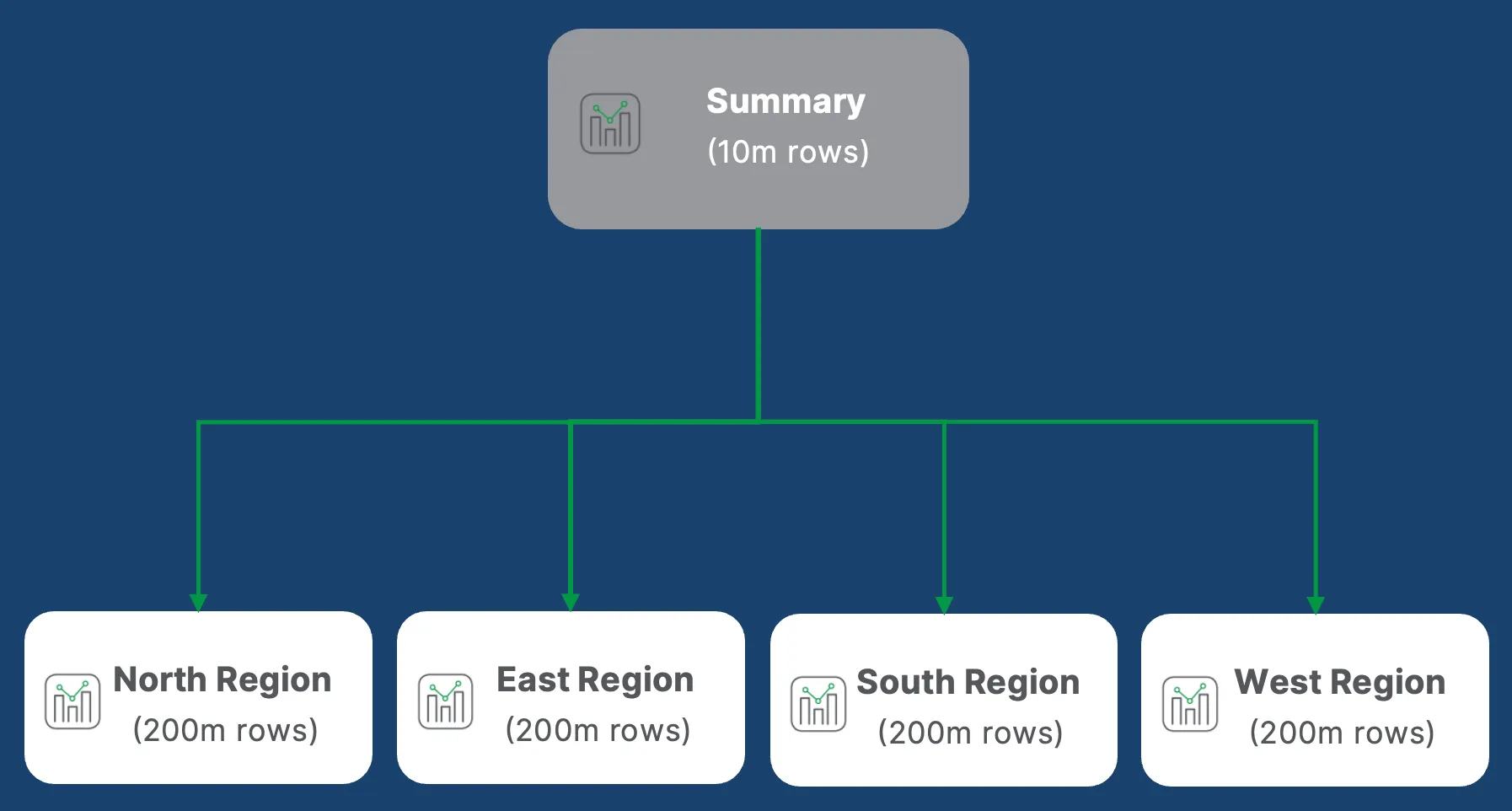
All apps can be pre-loaded when your web application initializes. When a user navigates from one app to another, your web application captures their current selections and applies them to the target app - navigation is instant and context is preserved.
Click to expand: selection sync pseudo code
// When web app initializesON web_app_loads DO
  // Open all apps the user will navigate between  // This pre-loads them for faster navigation  app_ids = ['summary-app', 'region-app-1', 'region-app-2', 'detail-app']
  FOR EACH app_id IN app_ids DO    OPEN app(app_id)    LOG "Pre-loaded app: " + app_id  END FOR
  // Set the initial app  current_app = GET app('summary-app')  DISPLAY current_app
END ON

// When user clicks to navigate to another appON user_navigates_to_app(target_app_id) DO
  // Get all current selections from source app before leaving  current_selections = GET current_app.all_selections
  // Get the target app (already loaded during initialization)  target_app = GET app(target_app_id)
  // Loop through all selected fields and apply to target app  FOR EACH selection IN current_selections DO
    field_name = selection.field_name    selected_values = selection.selected_values
    // Check if target app has this field    IF target_app.has_field(field_name) THEN
      // Clear any existing selections in target field      target_app.field(field_name).clear()
      // Apply selections from source app      target_app.field(field_name).select(selected_values)
      LOG "Applied selection for field: " + field_name
    ELSE
      LOG "Field not found in target app: " + field_name
    END IF
  END FOR
  // Navigate to target app with selections applied (instant - already loaded)  current_app = target_app  NAVIGATE_TO target_app
  LOG "Navigation complete with selections preserved"
END ON
Use @qlik/api to implement this pattern in your embedded analytics solution, or use the refApi if you have only two apps to navigate between or don’t want to preload all apps on initialization.
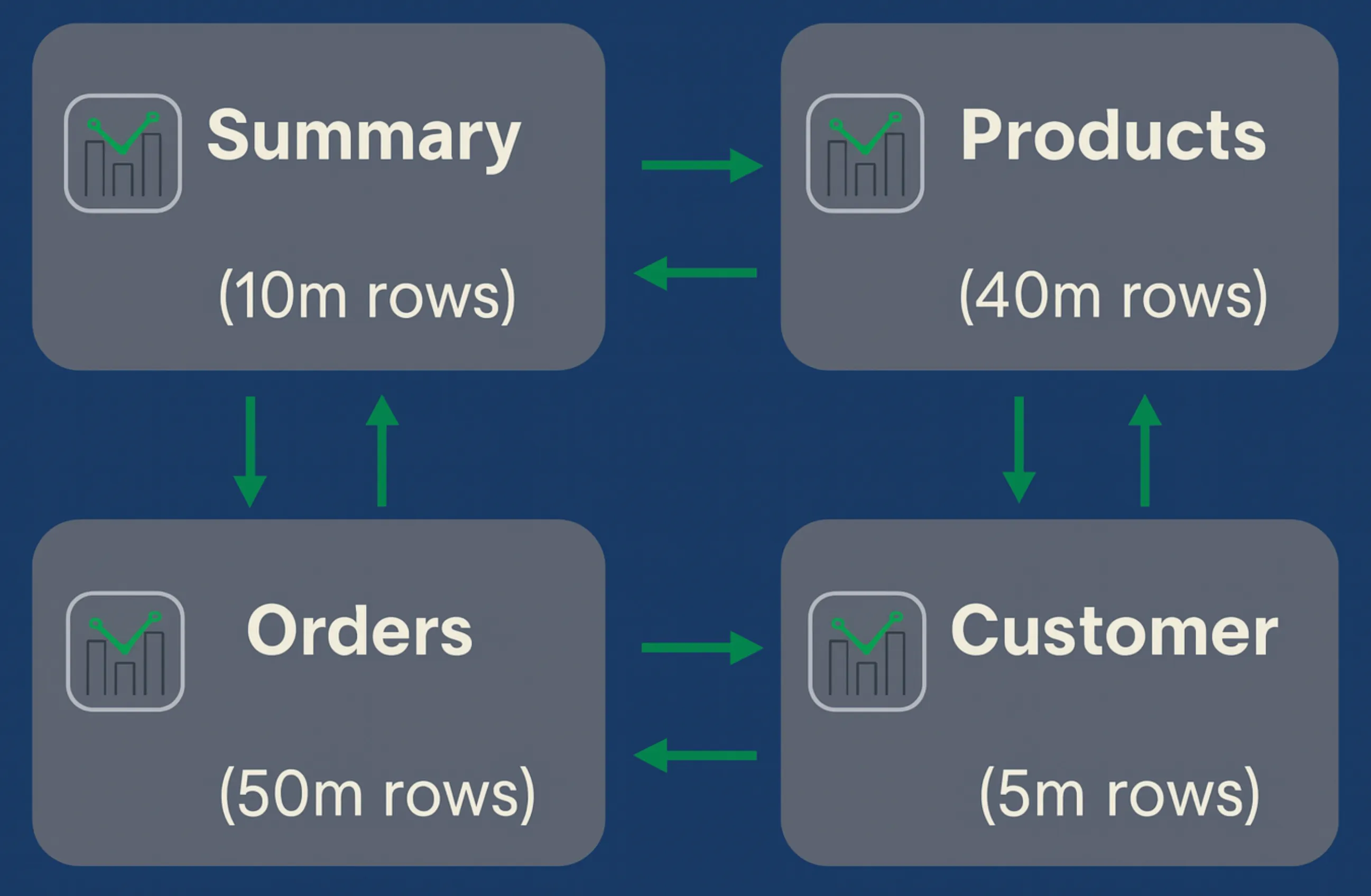
Common segmentation strategies:
- By region: Americas App, EMEA App, APAC App
- By product line: Electronics App, Apparel App, Home Goods App
- By user role: Products App, Orders App, Customer App
- By time period: Current Month App, Historical Archive App
Pattern 2: Summary and detail applications
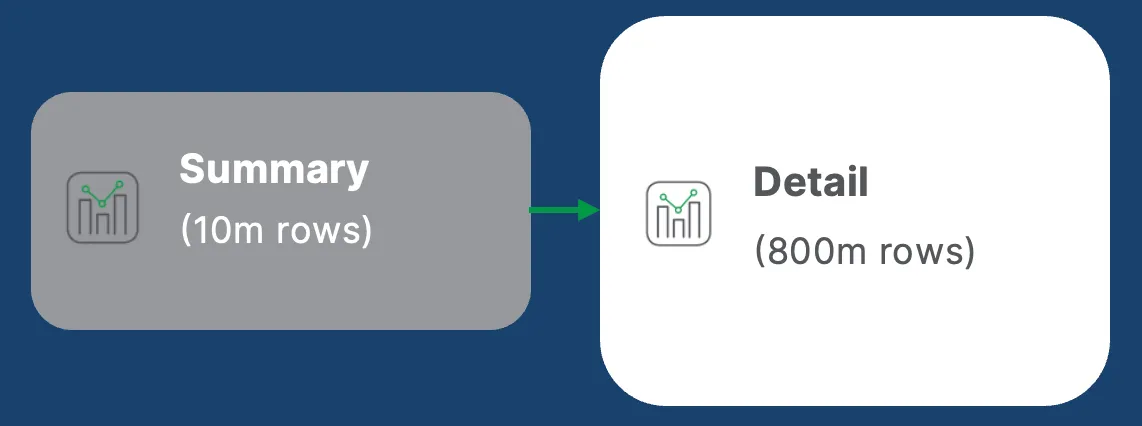
The summary-detail pattern provides fast, aggregated analytics for common use cases, with the ability to drill into detailed data only when needed.
- Summary app: Highly aggregated data that reloads frequently (hourly) and loads instantly. Use this for daily analytics, alerts, and subscriptions.
- Detail app: Full granular data that reloads less frequently (daily) but provides deep analysis when needed. Most users never open it - keeping performance optimal for everyone.
// Summary App - loads in seconds// Aggregated to daily level, 2 years of historyLOAD    Date,    Region,    ProductCategory,    Sum(Sales) as TotalSales,    Count(Distinct OrderID) as OrderCountFROM [lib://Data/sales_summary.parquet] (parquet)WHERE Date >= Today() - 730GROUP BY Date, Region, ProductCategory;
// Detail App - loads in minutes, on-demand accessLOAD    Date,    Time,    Region,    ProductCategory,    Product,    OrderID,    CustomerID,    Sales,    QuantityFROM [lib://Data/sales_detail.parquet] (parquet)WHERE Date >= Today() - 730;
Pattern 3: On-demand app generation (ODAG)
On-demand app generation creates personalized apps with filtered data based on user selections. Use it when users need isolated views of large data sets, the full data set is too large for a single app, or each user’s data is independent and doesn’t need cross-comparison. The generated apps are thrown away after use.
Example: A sales manager selects their region, and ODAG generates a personal app with only their region’s data.
Pattern 4: Dynamic views
Dynamic views connect directly to database views, loading only aggregated data into memory while leaving detailed data in the database. Use this when you have large transactional data sets, data is already aggregated in database views, and database query performance is sufficient for interactive response times.
Pattern 5: Direct Query
Direct Query queries data directly from your database without loading it into memory - ideal for massive data sets (billions of rows) that change in real-time. You can also combine approaches, such as Direct Query with ODAG drill-down.
Anti-pattern: Over-consolidation
The goal is not to minimize app count. Over-consolidating into a single large app creates several problems:
- Portability - larger apps have longer reload times and are harder to back up.
- Maintainability - a change to one area can break another; testing scope grows; deployment coordination becomes harder.
- User confusion - unrelated data sets in one app mean selections produce unexpected or meaningless results, and field lists become overwhelming.
- Search noise - global search returns irrelevant results; autocomplete becomes less useful.
- Cost - a bloated app may push you into Large App support, when multiple standard-tier apps would have been faster and cheaper.
Data caching strategy
Decide whether to cache data in Qlik Cloud as flat files (QVD, Parquet, CSV) or query directly from your database on each reload. Caching flat files reduces load on your source systems, simplifies incremental load logic, and substantially reduces reload time and cost for historical data.
Click to expand: Option 1 - direct reload from database every time
// Queries entire history from database on each reloadLIB CONNECT TO 'ProductionDB';
Sales:LOAD    OrderID,    CustomerID,    SalesAmount,    OrderDateFROM SALES_TABLEWHERE OrderDate >= '2020-01-01';  // All historical data from database
// Result: Database queries millions of rows every reload
Click to expand: Option 2 - incremental reload with cache
// Step 1: Load only yesterday's data from database (small query)LIB CONNECT TO 'ProductionDB';
Sales:LOAD    OrderID,    CustomerID,    SalesAmount,    OrderDateFROM SALES_TABLEWHERE OrderDate >= Today() - 1;  // Only last 1 day from database
// Step 2: Append historical data from cache, skipping rows already loadedCONCATENATE (Sales) LOAD    OrderID,    CustomerID,    SalesAmount,    OrderDateFROM [lib://Cache/sales_history.qvd] (qvd)WHERE NOT EXISTS(OrderID);
// Step 3: Update cache for next reloadSTORE Sales INTO [lib://Cache/sales_history.qvd] (qvd);
// Result: Database queries only 1 day of data, rest from cache- Option 1 - database processes 5 years of history = millions of rows every reload
- Option 2 - database processes 1 day of recent data = thousands of rows every reload
This choice affects your load script design, deployment patterns, and operational costs. For most OEM deployments, Option 2 is the right default.
Next steps
Continue: → App templates and customization